Instagram SEO in 2026: How to Get Found in Search and on Google
How Instagram search actually works, what's confirmed and what's guesswork, why caption keywords matter more under the 5-hashtag cap, and how your posts end up on Google.

Instagram SEO is the work of getting your account and posts found when people search, in Instagram’s own search bar and on Google. It mostly comes down to words: the ones in your name field, username, bio and captions, plus the five hashtags you’re now allowed per post. Instagram has published more about how its search works than most people realize, and a lot less than many SEO guides claim.
Two recent changes date much of the advice still ranking for this topic. Since December 2025 you get five hashtags per post instead of thirty, so your caption carries more of the load. And public posts from professional accounts can be indexed by Google, whose Search Console now has a report for Instagram. I read what Instagram, Meta and Google have published, and labeled everything else as guesswork.
What is Instagram SEO?
Instagram SEO means setting up your profile and posts so they show up when people search for your topic, in Instagram or on Google. Instagram search matches what people type against usernames, profile names, bios, captions, hashtags and places, then ranks matches by the searcher’s activity and the results’ popularity. So plain, descriptive words in the right fields matter most.
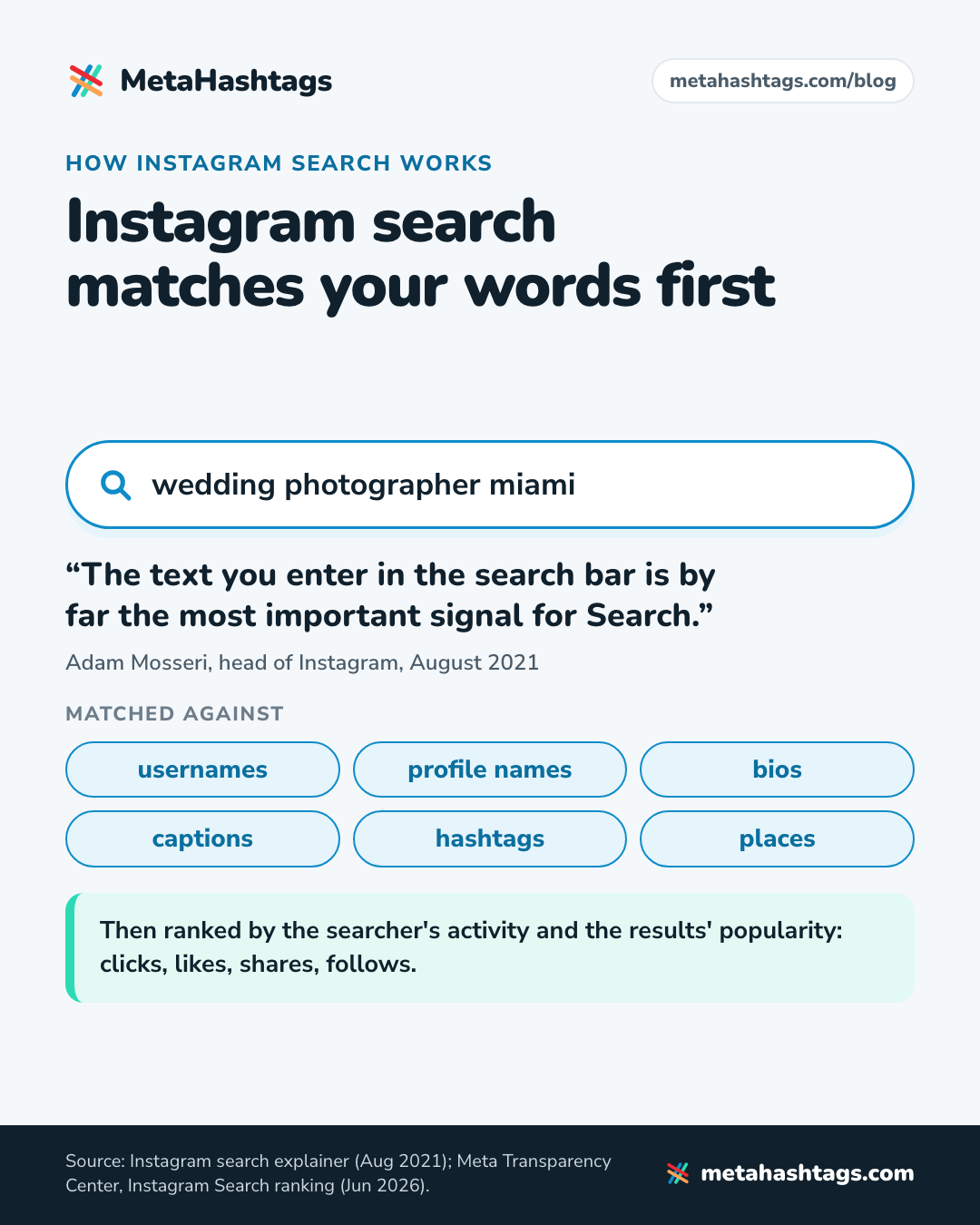
Most guides blur search and recommendations. Search is someone typing “wedding photographer miami” and picking from the results. Recommendations are what Instagram shows people who didn’t ask: Explore, the Reels tab, suggested posts. In his 2023 ranking explainer, Instagram head Adam Mosseri wrote that each part of the app, Search included, “uses its own algorithm tailored to how people use it.” This article is about search. No keyword work rescues a reel nobody watches.
Search is also getting more attention inside Instagram. In April 2025 Mosseri said content search was “not very good on Instagram” and that the company was investing more in it, as TechCrunch reported. Better search, he said, “should allow content to resurface so that you don’t get all the value in those first 24 or 48 hours.”
How Instagram search works: what Instagram has confirmed
The 2021 explainer: the words come first
In August 2021 Mosseri published Breaking Down How Instagram Search Works. It’s old, but nothing I’ve found from Instagram since contradicts it. The central line: “The text you enter in the search bar is by far the most important signal for Search.” Instagram then tries “to match what you type with relevant usernames, bios, captions, hashtags and places.”
Next come your own activity and information about the results, where popularity (clicks, likes, shares, follows) counts when lots of results match. The post’s advice still holds:
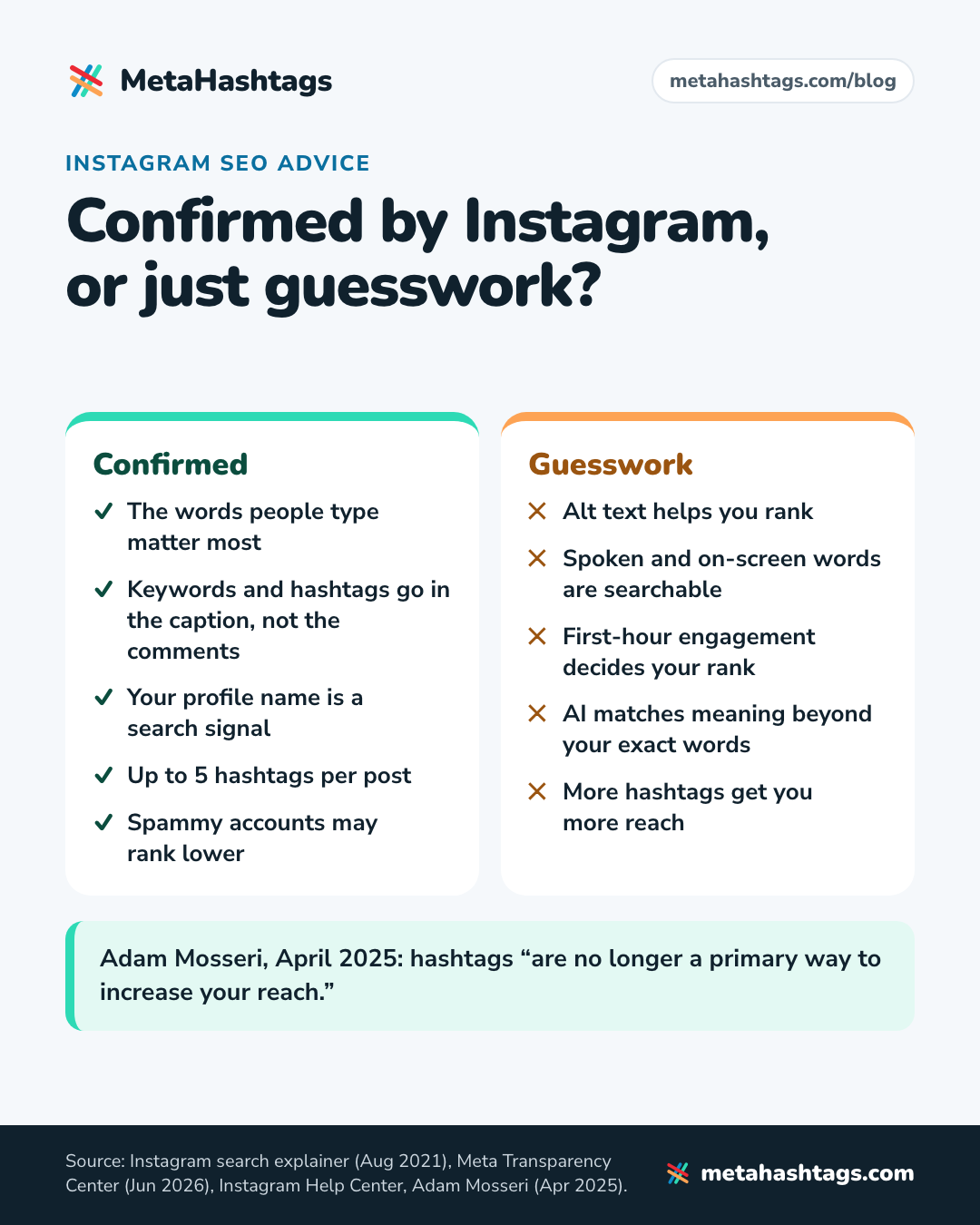
- “Using an Instagram handle or profile name that’s related to the content of your posts is your best bet for showing up in relevant searches.”
- “For a post to be found in Search, put keywords and hashtags in the caption, not the comments.”
- “Accounts that post spam or violate our guidelines may appear lower in search results.”
Instagram’s Creators blog repeated the caption advice in 2022: “Search results are matched by text, so make sure you’re including relevant keywords.”
Meta’s search explainer, updated June 2026
The newer, more detailed source is Meta’s Transparency Center page on how the Instagram Search AI system ranks results, last updated June 23, 2026. Four steps: gather everything that could match (hashtags, places, reels, posts, profiles, audio), score it, apply filters, rank by score. Meta says the signals “change frequently.”
For accounts, the one word-based signal listed is “The similarity between the words used in your search and those in the account’s username or profile name.” The rest are about behavior and connections: clicks from people making the same search in your country, your past visits to the profile, both accounts’ social graphs, even how close your age is to the owner’s. Posts and reels get no list of their own, just a line about “the type of content and how well it matches your query intent and what you tend to interact with.”
A few things follow. The profile name field is named as a signal, which is why it’s step two below. The page never mentions captions or alt text; captions aren’t ignored (the 2021 post says they’re matched), but anyone calling alt text a confirmed ranking factor is guessing. And because country, age and social graph feed in, two people typing the same words see different results, so “ranking first” for a phrase isn’t one fixed spot. The social-graph signal is also the only sourced basis I’ve found for the usual “engage with your niche” advice: my reading is that connections make you likelier to surface in each other’s searches.
Eligibility: why some accounts barely appear
For people who don’t follow you, search counts as a recommendation surface. Instagram’s Help Center page on recommendation eligibility says that if you’re eligible, “Instagram may recommend your account or content on Reels, Feed, Explore, Search or Suggested Accounts to people who don’t follow you.” If you’re not eligible, none of your content is recommended to non-followers. Professional accounts can check this in Account Status and request a review.
On April 30, 2026, Instagram extended its originality rules from reels to photos and carousels. Its Creators blog post says accounts that mostly post other people’s content “will no longer be eligible for recommendations across Instagram.” The post doesn’t name Search, but since the Help Center lists Search as a recommendation surface, I’d assume it’s covered.
What Instagram hasn’t confirmed
This is where most Instagram SEO guides go wrong: they present guesses as rules.
| Claim | What Instagram has said | My take |
|---|---|---|
| Alt text helps you rank in Instagram search | Nothing. It’s not in the 2021 explainer or Meta’s ranking page. | Write it anyway, for people using screen readers. |
| Subtitles, on-screen text and spoken words are searchable | Not documented. | Plausible, unconfirmed. Keep the key words in the caption too. |
| Keywords in the first comment work like the caption | The opposite: caption, not comments. | Caption. |
| More hashtags get you more reach | Mosseri, April 2025: hashtags “are no longer a primary way to increase your reach.” Five per post since December 2025. | Use them to label the post. |
| First-hour engagement decides your search rank | Popularity matters when many results match. Nothing about a first hour. | Unproven. Don’t plan around it. |
| Instagram’s AI matches meaning, beyond exact words | Not documented by Instagram. The claim appears in 2026 marketing blogs, such as one from the tool vendor Kontentino. | Possible. Words are still the one input Instagram has confirmed. |
Instagram keywords vs hashtags
Search reads both. The difference is room. Keywords have no cap beyond each field’s length, and they match natural phrases like “wedding photographer miami” that a hashtag can only approximate. Hashtags are capped: Instagram’s Help Center page on hashtags says “You can use up to 5 tags on a post. If you include more than 5 tags on a single photo/video, your comment won’t post.” Announcing the cap in December 2025, Instagram said fewer, more targeted hashtags can perform better than many generic ones. A hashtag labels the post and, on a public account, puts it on that hashtag’s page, but it doesn’t add reach by itself (I made the longer case in whether hashtags still do anything in 2026).
Big hashtags also make poor labels. Our MetaHashtags database holds 553,656 hashtags with an Instagram post count; only 319 have more than 100 million posts, and about 87% (86.7%) have fewer than 500,000. The giants fill up fast: #viral went from 988,579,798 posts in April 2025 to 1,579,428,371 in October 2026, roughly 1.09 million new posts a day. Tagging a post #viral tells Instagram almost nothing about it.
| Keywords | Hashtags | |
|---|---|---|
| Where they go | Name field, username, bio, caption | Caption (for Search, not the comments) |
| Limit | Each field’s length | 5 per post |
| What they do | Get matched against what people type | Label the post and put it on hashtag pages; not a reach lever |
| How to use them | Plain phrases a searcher would type | One or two broad tags, the rest specific |
With five tags, the caption does the describing: keywords say what the post is, hashtags file it in the right drawer. For the other hashtag rules, see how to use hashtags on Instagram under the new limit.
How to rank in Instagram search, step by step
One hypothetical account throughout: say you’re Ana, a wedding photographer in Miami, and you want couples searching Instagram to find you.
1. Find the words people search for
Type the start of your topic into Instagram’s search bar and note the suggestions, then read the names and caption openings of what comes up. Google keyword tools help with phrasing, but their numbers are Google searches, not Instagram ones. Hashtag counts are another clue to Instagram’s own vocabulary: in our data (October 2026) #weddingphotographer has 33,970,573 posts and #weddingphotoshoot 1,099,249. My guide to researching hashtags for a post goes further.
You want one main phrase (what you do, plus where if you’re local) and one phrase for each topic you post about regularly.
2. Put your main keyword in the profile name field
Your profile name is the name shown on your profile, separate from your @username, and Meta names it as a search signal. Ana’s could read “Ana Ruiz | Miami Wedding Photographer”. Keep your real or brand name in it, since people search for that too. One clear phrase is enough.
3. Don’t rebrand your username just for search
Meta lists the username right next to the profile name, which tempts people to become @miamiweddingphotographer overnight. If you’re starting out, a handle that hints at what you do is sensible. If people already know yours, changing it throws away that recognition, and anyone with your old handle written down won’t find you. Put the keyword in the name field instead.
4. Write a bio with keywords in it, for humans
Bios are on Instagram’s list of what search matches. Say what you do, for whom and where, in words a client would use: “Wedding and elopement photographer in Miami and South Florida. Booking 2027.” That reads as a sentence and still holds the phrases Ana wants. A row of keywords separated by dots reads as spam, and it’s people who decide whether to follow you.
5. Put the keywords in the caption’s first line
Captions are where Instagram says post keywords belong, so the first-comment debate doesn’t apply to search. I put the main phrase in the first sentence, because that’s what people see before they tap to expand (and, my guess, what’s most likely to be used on Google). Describe the post for someone who can’t see it:
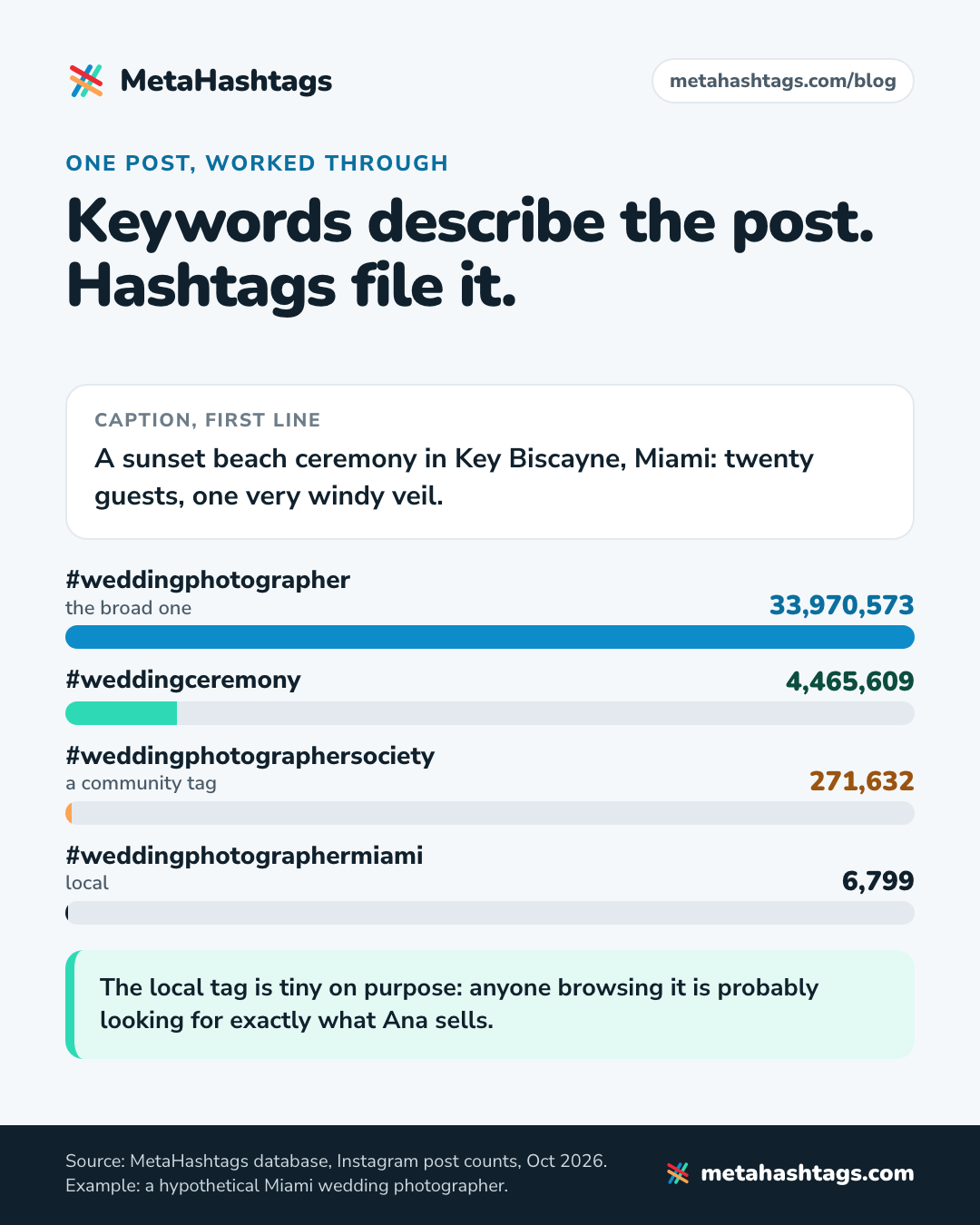
A sunset beach ceremony in Key Biscayne, Miami: twenty guests, one very windy veil.
There’s no sign that repeating “Miami wedding photographer” four times helps, and the 2021 explainer warns that spammy accounts can rank lower.
6. Add up to five hashtags
Hashtags go in the same caption. I’d use one or two broad tags and make the rest specific, including a local one if you serve one area. A set for Ana’s beach-ceremony post, with post counts from our database (October 2026):
- #weddingphotographer: 33,970,573 posts (the broad one)
- #weddingceremony: 4,465,609 posts
- #weddingphotographersociety: 271,632 posts (a community tag)
- #weddingphotographermiami: 6,799 posts (local)
That’s four. A fifth is optional; I’d only add one that describes this post, like the venue. The local tag is tiny on purpose: anyone browsing it is probably looking for exactly what Ana sells. The data on whether five beats three is mixed; I went through the studies in how many hashtags to use on Instagram.
7. Tag the location
Instagram search matches places, and a place’s page collects public posts shared with that location. For anything local, that’s free relevance. Tag where the photo was taken, not the most popular spot nearby.
8. Add alt text and subtitles (cheap, unconfirmed)
Instagram lets you write your own alt text for a photo. Instagram has never said it affects search. I write it anyway for people using screen readers. If search does read it, a literal description (“bride and groom under a palm-lined arch on a Miami beach”) is the right text.
For Reels, say the topic out loud early and add captions. Whether spoken or on-screen words count for search isn’t documented, so let the caption do the work. More in my guide to hashtags and captions for Reels.
9. Stay eligible
None of this helps if Instagram won’t show you to non-followers, so check Account Status every few months. Keep reels clean: the 2023 ranking explainer says Instagram makes “low-resolution or watermarked reels” less visible, along with “reels that are muted or contain borders, reels that are majority text.” And post your own work.
How Instagram posts show up on Google
Which accounts Google can index
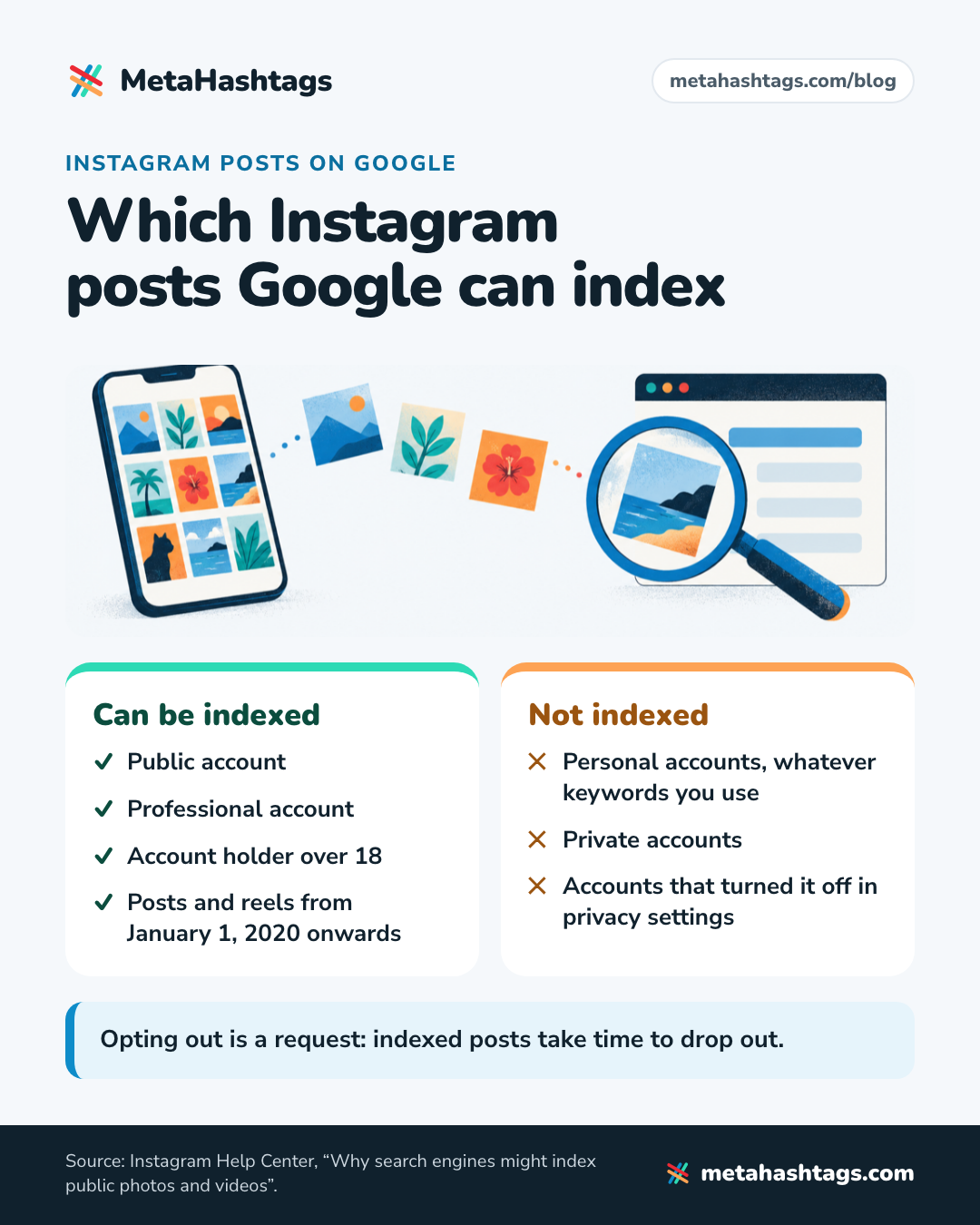
Instagram’s Help Center page on why search engines might index public photos and videos says Instagram generally asks search engines like Google and Bing not to index users’ photos and videos, with one exception: “we allow search engines to index photos and videos from public reels and posts that were uploaded or posted from January 1, 2020 onwards from accounts that meet all criteria.” The account holder must currently be over 18, and the account must currently be public and professional. Once it qualifies, its public posts and reels can be indexed, including ones shared before the owner turned 18 (the page also mentions story highlights). Personal accounts’ posts aren’t included, whatever keywords you use.
The date usually quoted is July 10, 2025. But Social Media Today, after checking with Instagram, reported a gradual rollout and said that in most regions this was “already the norm, and has been for several years.” So July 2025 was partly an expansion to more regions.
How to opt out, and what it costs you
The Help Center gives three ways out: “Visit your account privacy settings to turn off the ability for your public photos and videos to appear in search engine results,” make the account private, or switch to a personal account. It’s a request to search engines, so already-indexed posts take time to drop out. If your business depends on being found, think twice before switching it off.
Instagram writes its own titles for Google
In December 2025, Engadget reported, citing 404 Media, that Instagram was attaching AI-written headlines to posts in search results. Meta said it “recently began using AI to generate titles for posts that appear in search engine results” and that “these titles may not always be 100% accurate.” The Help Center’s indexing page doesn’t mention them, and I haven’t found a way to edit them. The only way out Engadget mentions is disabling indexing, which appears to remove all of it.
My take, not Meta’s: the more literal your caption, the less room an AI has to invent a headline. “Sunset ceremony in Key Biscayne, Miami” is a safer input than “golden hour magic”.
Search Console now reports on Instagram
In July 2026 Google added “platform properties” to Search Console for Instagram, TikTok, X and YouTube (secondary reports give July 7 as the start; Google’s help page says it’s rolling out gradually). You add and verify your Instagram account as its own property, then get a Performance report (clicks, impressions, click-through rate, average position), an Insights overview and an Achievements report. It covers Google Search, plus Discover and News, and nothing inside Instagram. In the words of Google’s help page on platform properties: “They don’t track when people see your content on the platform itself.”
Making your posts work on Google (my take)
Google sees your Instagram content mostly as text: name, bio, caption and that AI title. I’d expect descriptive sentences to count for far more there than hashtags. And if you have a website, link to your Instagram profile from it.
How to check whether you show up
- Search your main phrases in Instagram from an account that doesn’t follow you (a friend’s phone works) and note where you appear.
- Repeat monthly with the same phrases and log it. Results are personal, so look for trends, not exact positions.
- In Insights, watch non-followers among your accounts engaged, and profile activity on each post. Instagram doesn’t document a figure for views from search, so this is indirect.
- For Google, add your account to Search Console and check the Performance report every few weeks.
How long until it works? Nobody outside Instagram knows, and the “two to four weeks” in other guides comes with no source. Change one thing at a time (the name field, say) and give it a month before you judge it.
What changed in 2025 and 2026
| When | What happened |
|---|---|
| Apr 2025 | Mosseri: hashtags “no longer a primary way” to get reach; content search “not very good,” more investment coming |
| Jul 2025 | Public posts and reels from professional accounts open to search engines in more regions (reported as July 10) |
| Dec 2025 | Meta confirms AI-generated titles for posts in search results; 5-hashtag cap announced December 18, rolled out gradually |
| Apr 2026 | Originality rules extended to photos and carousels; accounts that mostly repost lose recommendations |
| Jul 2026 | Google Search Console adds Instagram as a platform property, rolling out gradually |
Your Instagram SEO checklist
- Profile name: your name plus one main keyword phrase.
- Username: keep it if people know it.
- Bio: what you do, for whom and where, as a sentence.
- Captions: the main topic in the first line, in plain words.
- Hashtags: up to five, in the caption, none restricted.
- Location tags on anything local.
- Alt text on photos; captions on Reels.
- Your own work, no other app’s watermark.
- Account Status every few months.
- A monthly search check, plus Search Console for Google.
- A deliberate choice about Google indexing.
Keep reading
-
 Instagram Hashtags
Do Hashtags Still Work on Instagram in 2026? Yes, but Not for Reach
Hashtags still work on Instagram as labels, not as a reach hack. What Instagram has said, why the studies disagree, and a four-week test… -
 Instagram Hashtags
How to Use Hashtags on Instagram in 2026 (Now You Only Get Five)
Instagram now allows five hashtags per post. What they still do, where to put them, and how to pick the right five, with live… -
 Instagram Hashtags
How to Find Hashtags for Instagram (and Choose Your 5) in 2026
A method, not a list: where to find hashtag ideas inside Instagram, five checks for every candidate, and how to land on five, with…