How to Make a YouTube Link Open in the YouTube App (from Instagram)
Why YouTube links on Instagram open signed out, why that stops subscribes, likes and comments, and how to make a link that opens the YouTube app.
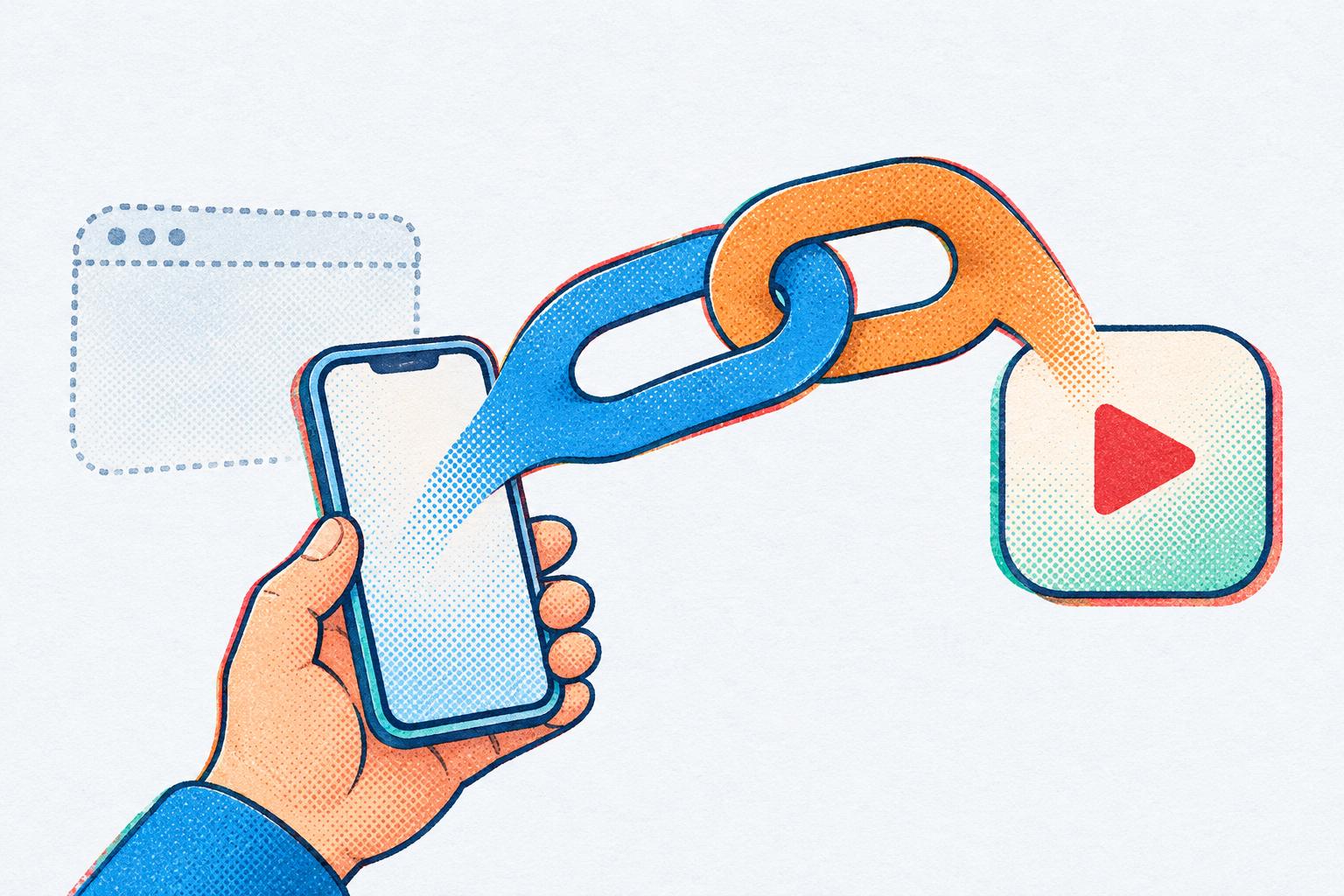
You post a new video, share it in your Instagram Story, and your followers tap the link. YouTube doesn’t open. Instagram plays the video in its own little browser instead, where they aren’t signed in to YouTube. So when they try to subscribe, like or leave a comment, YouTube stops them and asks them to sign in first. Here’s how to make a YouTube link open in the app instead, where they’re already signed in.
Short answer: Instagram opens YouTube links in its own browser, where viewers are signed out, so they can’t subscribe, like or comment without signing in first. To make the link open the YouTube app instead: create a free LinkTwin account, paste your YouTube link, and use the short link you get back in your bio, Stories and DMs. When it’s tapped in Instagram, the video opens in the YouTube app.
Why YouTube links from Instagram don’t open the YouTube app
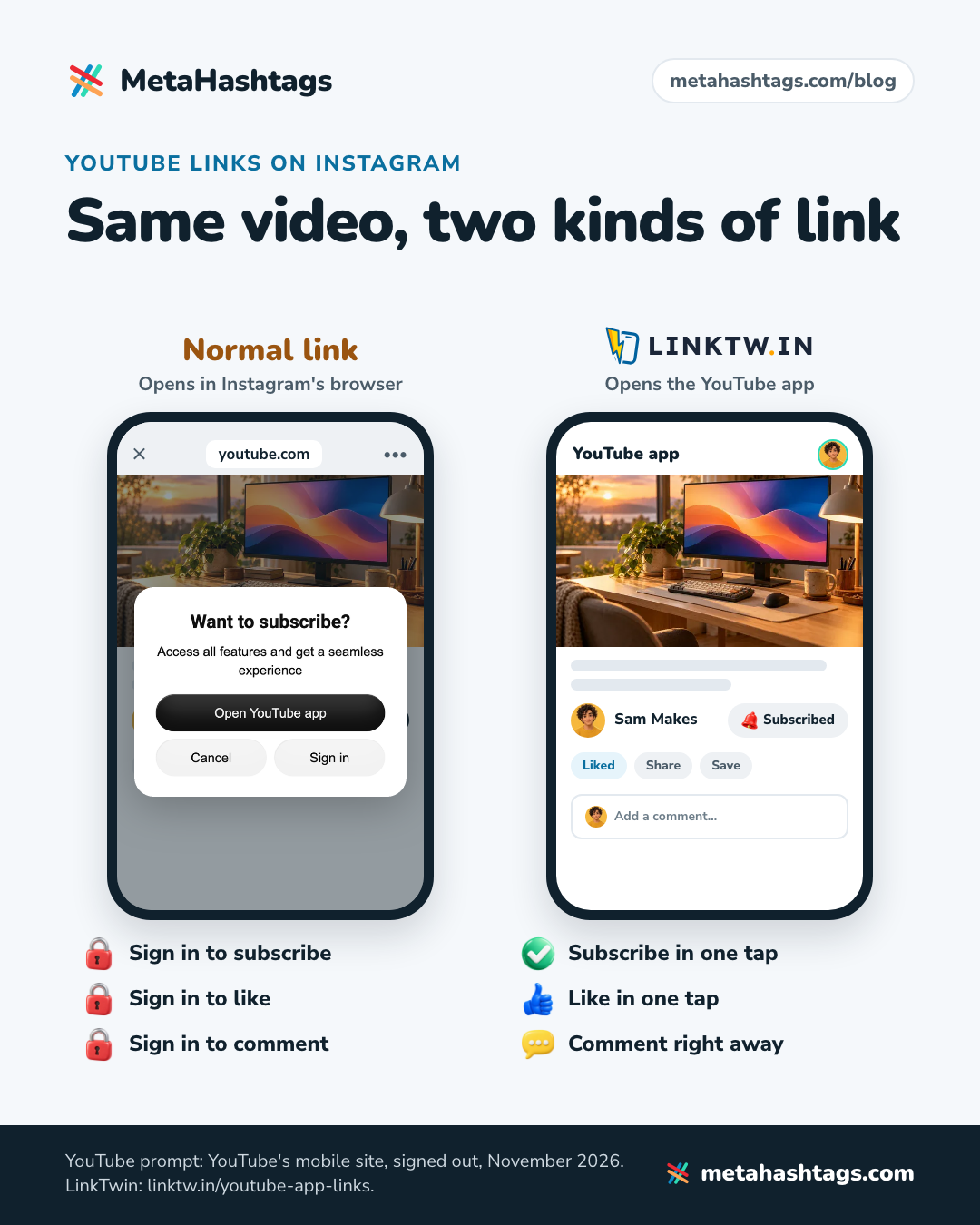
Instagram doesn’t pass links to your phone. Whether the link is in a bio, a Story sticker or a DM, Instagram loads it in a browser built into the Instagram app. That browser keeps its own logins, separate from the YouTube app and from Safari or Chrome, so your follower usually lands on youtube.com signed out.
It also means the YouTube app never gets a chance to open. Normally a phone notices that a youtube.com link belongs to the YouTube app and opens it, but that only happens when the phone itself handles the tap. Inside Instagram’s browser it doesn’t. I go through the technical side, for every kind of app, in why Instagram links don’t open in the app.
Why it matters: signed out means no subscribe, like or comment
A signed-out viewer can watch, but that’s about all. On YouTube’s mobile site, signed out (checked in November 2026), each button stops at a prompt:
- Subscribe: “Want to subscribe?”
- Like: “Like this video?”
- Save: “Save this video?”
- Comment: “Leave a comment?”
Each prompt says “Access all features and get a seamless experience” and offers three buttons: Open YouTube app, Cancel and Sign in.
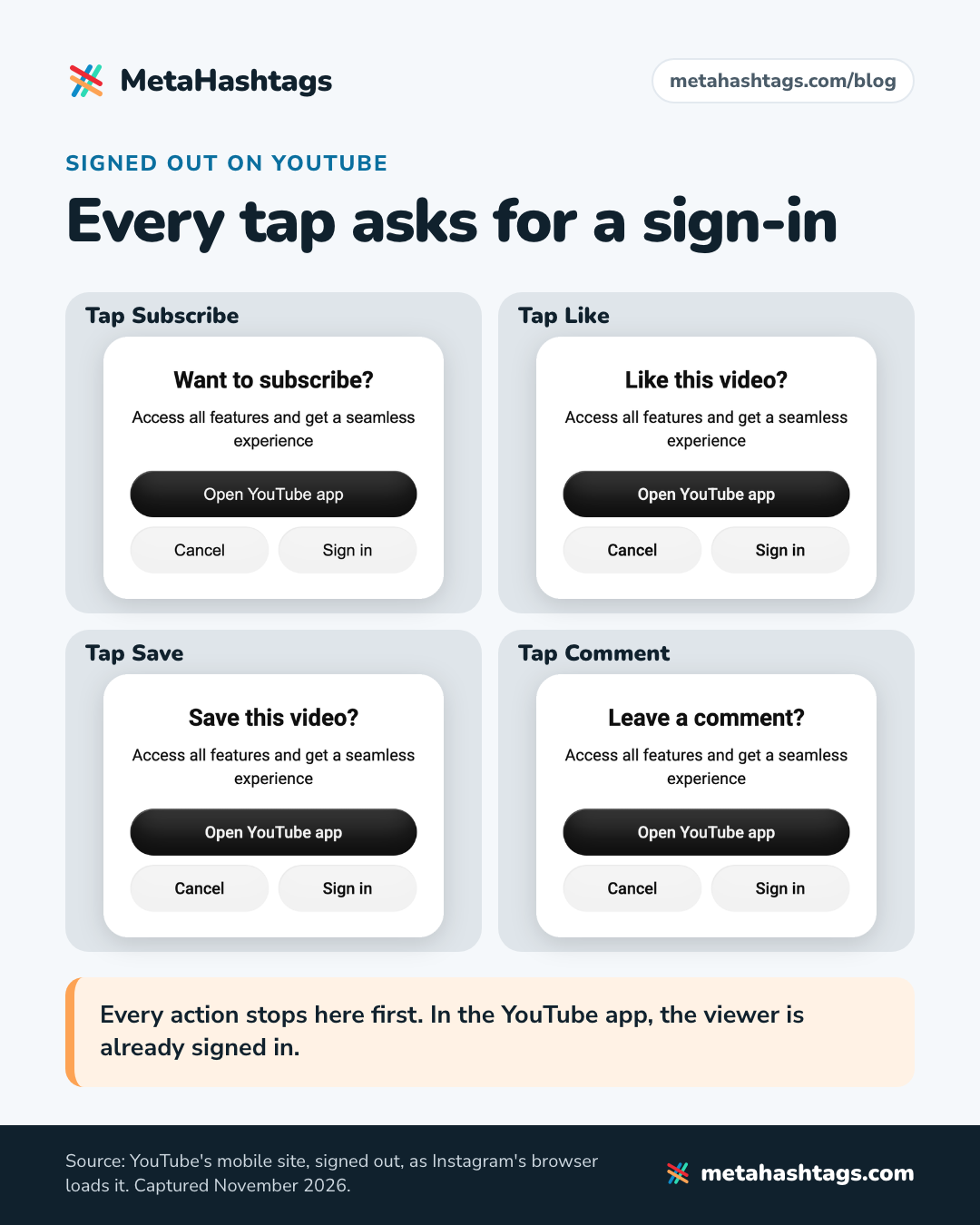
YouTube does offer an “Open YouTube app” button there, but only after the viewer has already tried to act, and it’s one more decision at the moment they wanted a single tap. Cancel is just as easy to press. Signing in is worse: an email and password, typed on a phone, inside Instagram.
For you, every one of those stops is a subscriber, a like or a comment that may not happen. Those are the things you’re after when you send people from Instagram to YouTube in the first place. In the YouTube app the same viewer is already signed in, so subscribing is one tap, the like goes through, the comment box is right there, and Save puts the video in their Watch later list or a playlist.
How to make a YouTube link open in the YouTube app, step by step
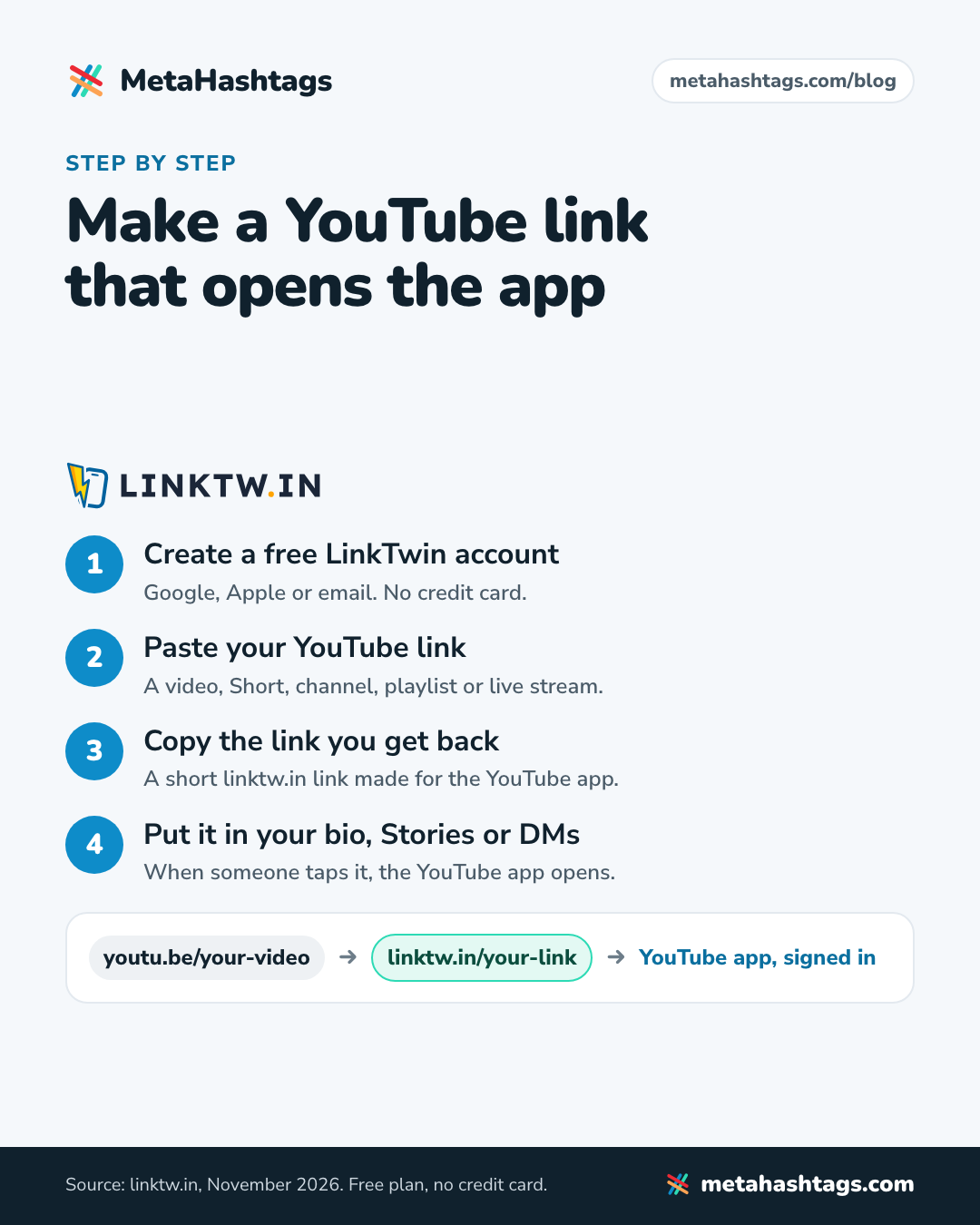
You need a free LinkTwin account and the link to your video. LinkTwin says it takes “about 30 seconds,” and “Nothing changes on your channel, and your viewers do not need to install anything.”
- Get the link to your video. On your phone, open the video in YouTube and use Share, then Copy link. On a computer, the address in the browser bar works just as well. Videos, Shorts, your channel, playlists and live streams are all fine.
- Create a free LinkTwin account. Go to linktw.in and sign up with Google, Apple or email. It’s free, and no credit card is needed.
- Paste your YouTube link into LinkTwin and create your link.
- Copy the link you get back. It’s a short linktw.in link, and it’s what does the work: tapped in Instagram, it opens your video in the YouTube app. If the viewer doesn’t have the app, they get the YouTube website, as with any link.
- Put it on Instagram. Use it in your bio, in a Story link sticker and in DMs (more on each below).
- Check it on your own phone. Tap the link in your bio and make sure the YouTube app opens on the right video, not the YouTube home screen. If a friend has an Android phone and you have an iPhone, or the other way round, try both.
If you share new videos often, there’s a shortcut: LinkTwin’s iPhone app and Android app show up in the share sheet. In the YouTube app, tap Share, pick LinkTwin, and the link is made for you, without copying and pasting.
Which YouTube links work
All the usual ones. According to LinkTwin’s page on YouTube links that open the app, each of these opens the same thing in the YouTube app:
- Videos: youtube.com/watch links from the address bar, and the youtu.be links YouTube copies when you tap Share.
- Shorts: youtube.com/shorts links open “in the Shorts player, ready to like and subscribe.”
- Your channel: youtube.com/@yourname opens your channel page, “with the Subscribe button one tap away.”
- Playlists: they open “in order, so viewers keep watching.”
- Live streams: the stream and its live chat, with viewers already signed in.
- Mobile site links: m.youtube.com links work too.
Which one to use depends on where it goes. For a Story about a new upload, link the exact video. For your bio, where the link stays for weeks, your channel link never goes out of date.
Where to use it on Instagram
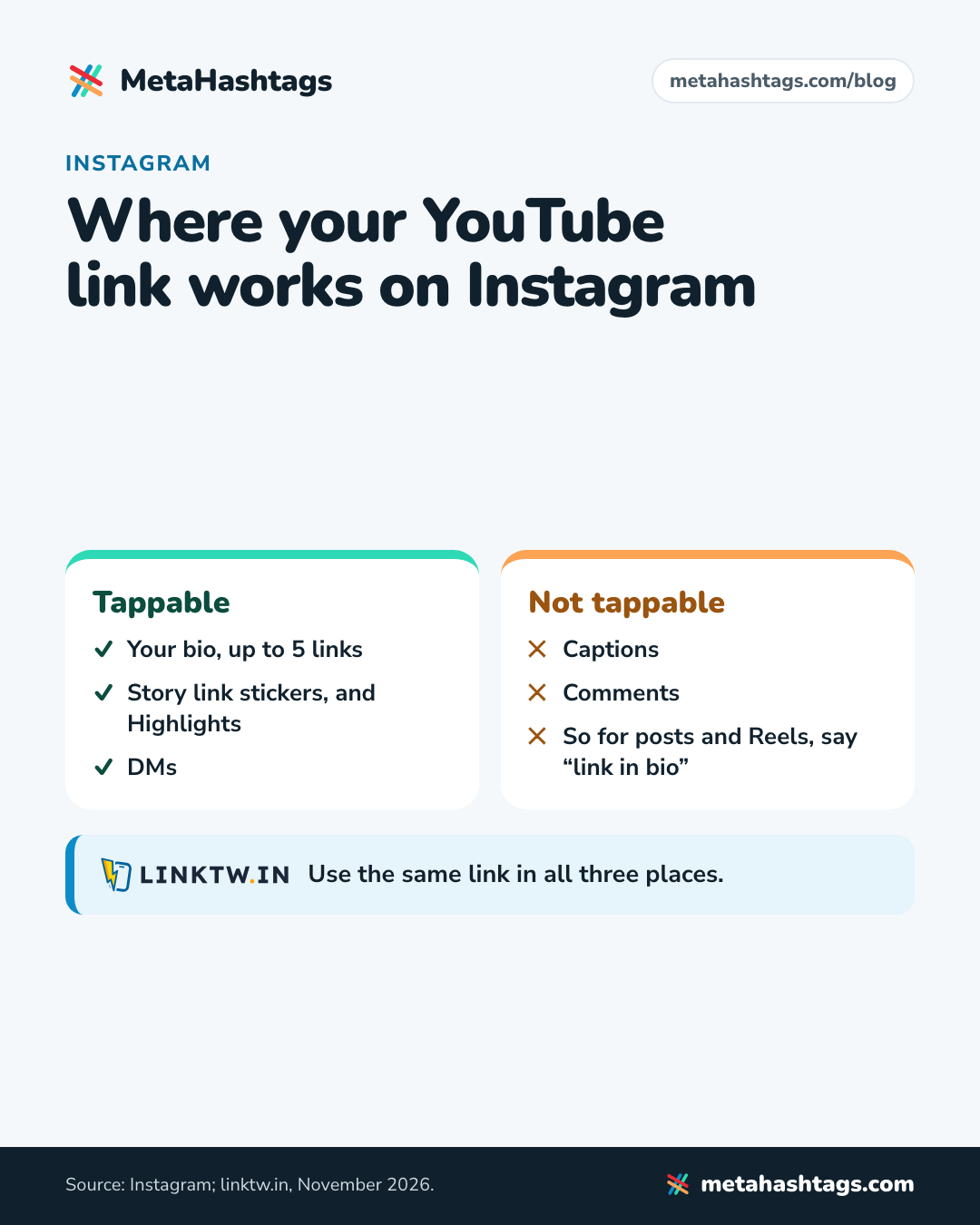
Instagram makes links tappable in three main places, and your YouTube link belongs in all of them:
- Your bio. You can add up to five links. If YouTube is your main thing, put your channel link first.
- Stories. Add the link with the link sticker when you post a new video. Save the Story to a Highlight and the link stays on your profile after the Story disappears.
- DMs. When someone replies to a Story or comments “link?”, send them the link in a DM. It opens the YouTube app from there too.
Links in captions and comments aren’t tappable for most accounts, so for posts and Reels, say “new video, link in bio.”
FAQ
Is it free?
LinkTwin has a free plan, and you don’t need a credit card to sign up. YouTube links are covered on it. The free plan has monthly limits, so if your bio link gets a lot of taps, check that it covers your traffic.
What if a viewer doesn’t have the YouTube app?
They get the YouTube website, the same as with a normal link. Nobody has to install anything.
Does anything change on my YouTube channel?
No. Your video and channel stay exactly as they are. Only the link you share is different.
Can I see how many people tapped it?
Yes. LinkTwin counts the clicks on every link and shows where they came from: country, device and the app or site that sent them. That’s a simple way to see whether your bio link or your Story sticker sends more viewers.
Does it work with YouTube Shorts?
Yes. Shorts links open in the YouTube app’s Shorts player.
Why not just tell people to open the link in the YouTube app?
They’d have to copy the link, leave Instagram, open YouTube and find the video, or know the three-dot menu in Instagram’s browser. That’s a lot to ask for a video someone was only curious about. A link that opens the app does it for them.
Keep reading
-
 Instagram Hashtags
Instagram Links Not Opening in the App? Why, and How to Fix It
Why Instagram opens links in its own browser, why the YouTube or Amazon app doesn't open, what that costs you, and how a LinkTwin… -
 Instagram Hashtags
The Best Link Shortener for Social Media in 2026
Most link shorteners just make links shorter. On social media, what matters is where the link opens. Here's why LinkTwin is the one to… -
 Instagram Hashtags
LinkTwin vs URLgenius: Is LinkTwin the Better URLgenius Alternative?
Both open links in apps instead of Instagram's browser, but they charge very differently. How to pick, and when LinkTwin is the better URLgenius…