LinkTwin vs URLgenius: Is LinkTwin the Better URLgenius Alternative?
Both open links in apps instead of Instagram's browser, but they charge very differently. How to pick, and when LinkTwin is the better URLgenius alternative.
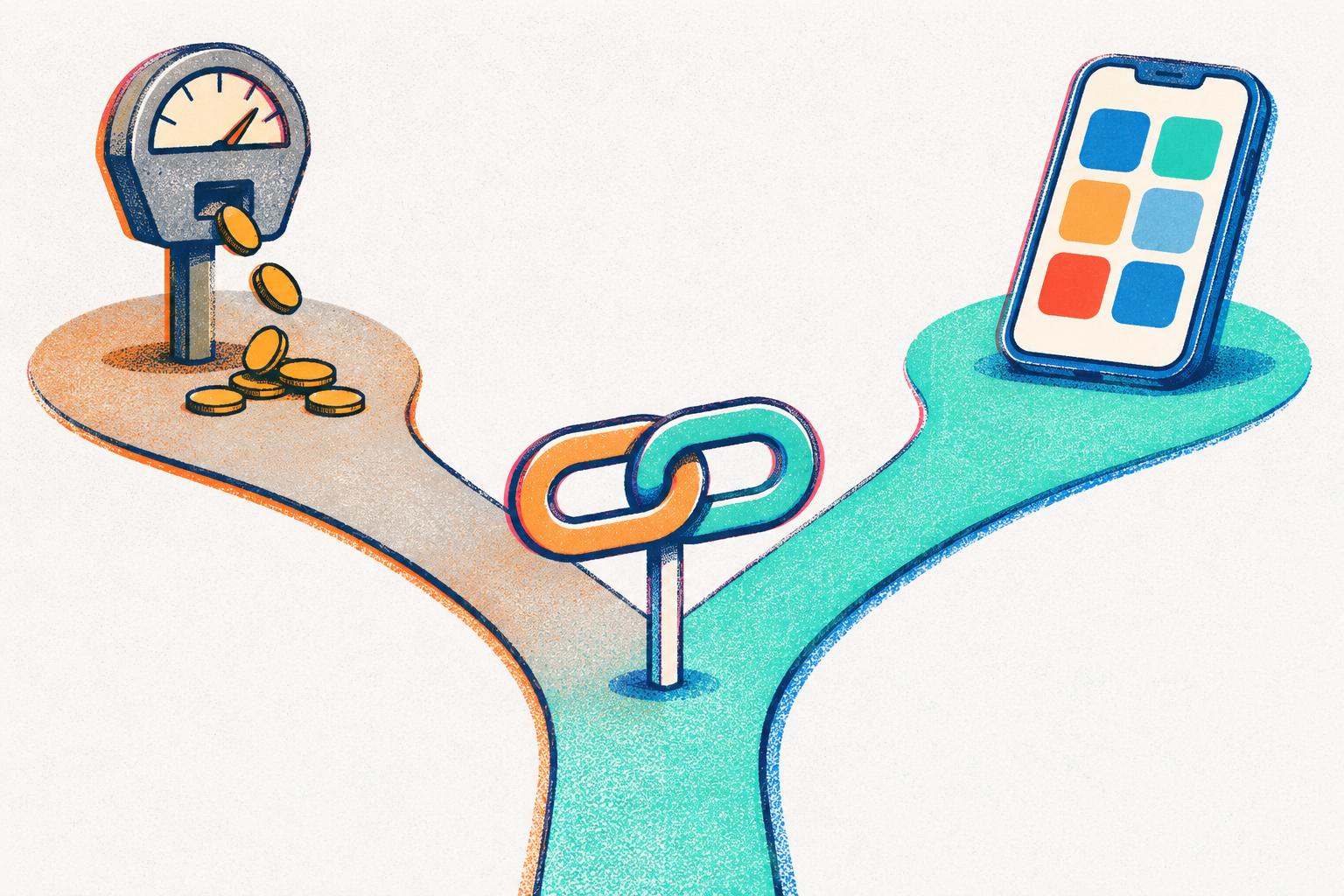
LinkTwin and URLgenius do the same basic job. You give them a link and they give you one back that opens the YouTube or Amazon app, instead of Instagram’s built-in browser where nobody is signed in. If you’re reading this you probably already know why that matters.
Where they differ is who they’re built for and, mostly, how they charge you. If you’re a creator, an affiliate or a small shop looking for a URLgenius alternative, this is how I’d think about it.
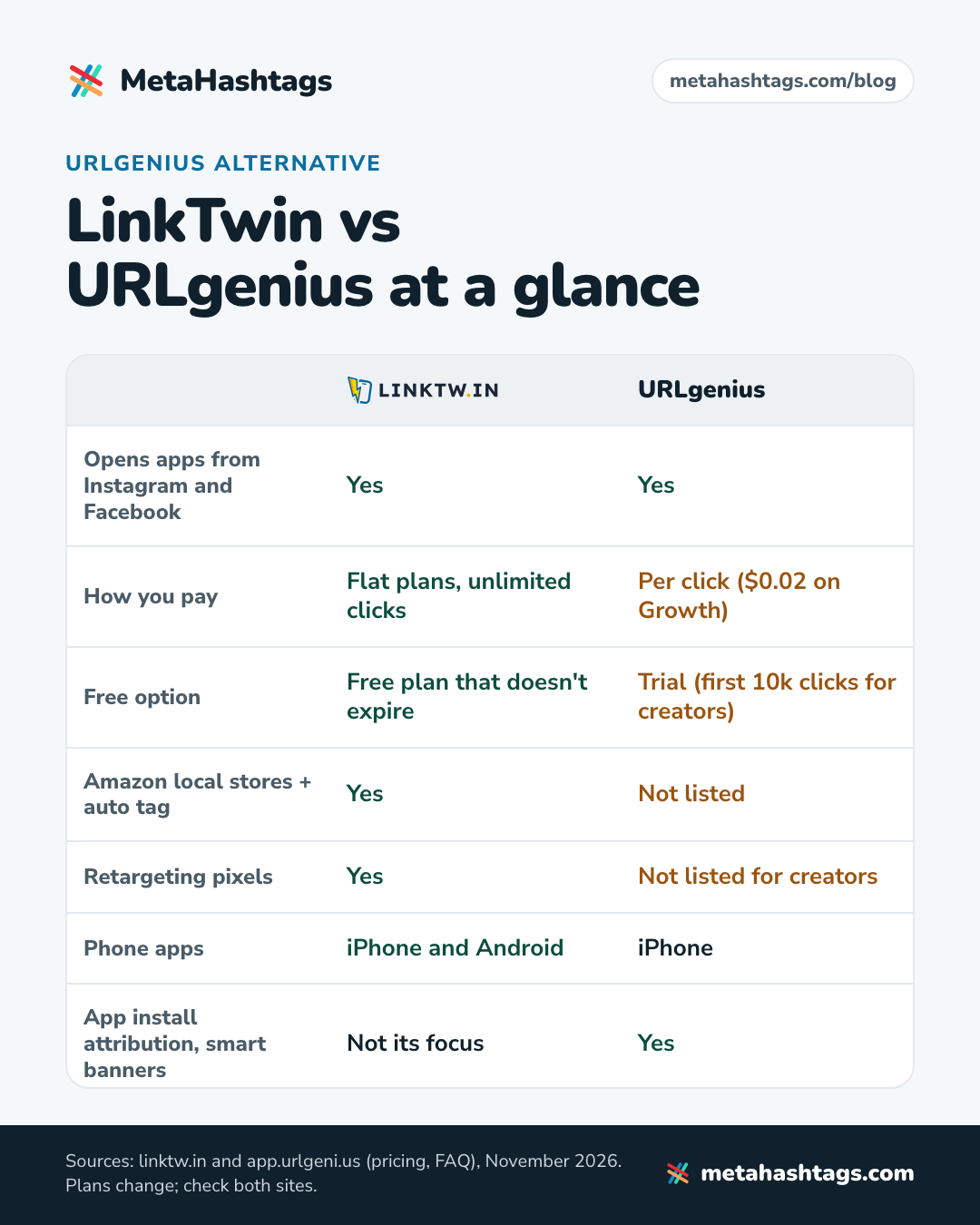
Short answer: Both open apps from Instagram and Facebook. URLgenius charges per click (2 cents a click on its Growth plan) and also serves app companies and big sellers, with extras like install attribution and smart app banners. LinkTwin has a free plan that doesn’t expire and flat paid plans with unlimited clicks, plus Amazon tools like sending followers to their own country’s store. For creators and affiliates posting on social, LinkTwin is the simpler, more predictable pick.
What they have in common
More than you might expect. Both of them:
- open apps from the in-app browsers of Instagram and Facebook
- make QR codes
- show you click stats
- let you put links on your own domain
- have a Chrome extension and an iPhone app
The core thing works on both.
The big difference: how you pay
URLgenius is pay as you go. On its Growth plan it’s $0.02 a click, with discounts after 10k clicks, and its Custom plans start at $99 a month for creators ($199 for sellers and brands) at a cent a click or less. There’s also a free Starter tier with a trial: the first 10k clicks are free for creators, 500 for sellers and brands, and you don’t need a credit card to start. (All from URLgenius’s pricing page in November 2026.)
Paying per click sounds fair until a post takes off. Say a reel does well and sends an extra 50,000 clicks through your link in a month. At 2 cents a click that’s $1,000, before any volume discount.
LinkTwin works the other way round. There’s a free plan that doesn’t run out (it has limits), and the paid plans are a flat monthly price with unlimited clicks, so a viral post doesn’t change your bill. For creators, whose traffic jumps around a lot, I think that’s the single biggest reason to switch.
Where LinkTwin is the better URLgenius alternative
- Amazon affiliates. LinkTwin can send each follower to their own country’s Amazon store (23 stores) and add your Associates tag for that store, once you’ve saved your tags. URLgenius’s pricing page and FAQ don’t mention anything like that. LinkTwin’s Amazon app links page has the details.
- Retargeting. LinkTwin lets you add retargeting pixels (Meta, Google, TikTok and others) to your links, so people who clicked can see your ads later. URLgenius doesn’t list pixels for creators, and its FAQ says it “does not profile devices or create pools of data for retargeting purposes.” Thats a fair privacy choice, just know it going in.
- Android. LinkTwin has phone apps for iPhone and Android. URLgenius lists an iOS app. I didn’t find an Android one.
- A link-in-bio page on the free plan. LinkTwin’s bio page at linktwin.bio comes with the free plan, and every button on it opens its app. URLgenius lists link-in-bio on its Custom plan for creators.
Where URLgenius is the better pick
To be fair to URLgenius, it does a bunch of things that aren’t LinkTwin’s focus. If you run an app, it has deferred deep linking, app install attribution without an SDK, smart app banners and desktop-to-app linking. There’s enterprise stuff too, like subaccounts, enterprise-grade security with a DPA, and a dedicated growth advisor. And marketplace sellers are clearly one of its core audiences (its pricing page calls it a “Verified Amazon attribution partner”).
If that’s you, URLgenius is worth a proper look. If you’re a creator or an affiliate who mainly wants links that open the app from your Instagram bio, it’s more tool than you need.
Switching from URLgenius to LinkTwin
- Create a free LinkTwin account.
- Make new links from the original destinations (the Amazon product, the YouTube video), not from your URLgenius links.
- Swap them into your bio, Story stickers, DMs and video descriptions.
- Tap each one once from your phone to check the right app opens.
Leave the old URLgenius links where they are until you’ve replaced them everywhere.
FAQ
Is there a free URLgenius alternative?
Yes. LinkTwin has a free plan that doesn’t expire, and you don’t need a card to sign up. YouTube, Amazon and Spotify links all work on it.
Does LinkTwin open apps from Instagram like URLgenius does?
Yes. From Instagram and Threads the app opens by itself, and from Facebook and X on iPhone it takes one tap. More on that in why Instagram links don’t open in the app.
Will my Amazon affiliate tag still work?
Yes. LinkTwin keeps your Associates tag on the link all the way to Amazon, and if you’ve saved a tag for each Amazon store it uses the right one when it sends someone to their local store.
Which is better for a link in bio?
For most creators, LinkTwin. Use one LinkTwin link in your bio, or LinkTwin’s bio page if you need more links, and stay on the free plan while you test it. I went through what matters in a shortener for this in the best link shortener for social media.
Keep reading
-
 Instagram Hashtags
How to Make a YouTube Link Open in the YouTube App (from Instagram)
Why YouTube links on Instagram open signed out, why that stops subscribes, likes and comments, and how to make a link that opens the… -
 Instagram Hashtags
Instagram Links Not Opening in the App? Why, and How to Fix It
Why Instagram opens links in its own browser, why the YouTube or Amazon app doesn't open, what that costs you, and how a LinkTwin… -
 Instagram Hashtags
The Best Link Shortener for Social Media in 2026
Most link shorteners just make links shorter. On social media, what matters is where the link opens. Here's why LinkTwin is the one to…