Instagram Shadowban in 2026: How to Check, Fix and Avoid It
Instagram says silent hiding isn't its intention, but it does stop recommending some posts and accounts. How to check yours in Account Status, what causes it and how to fix it.
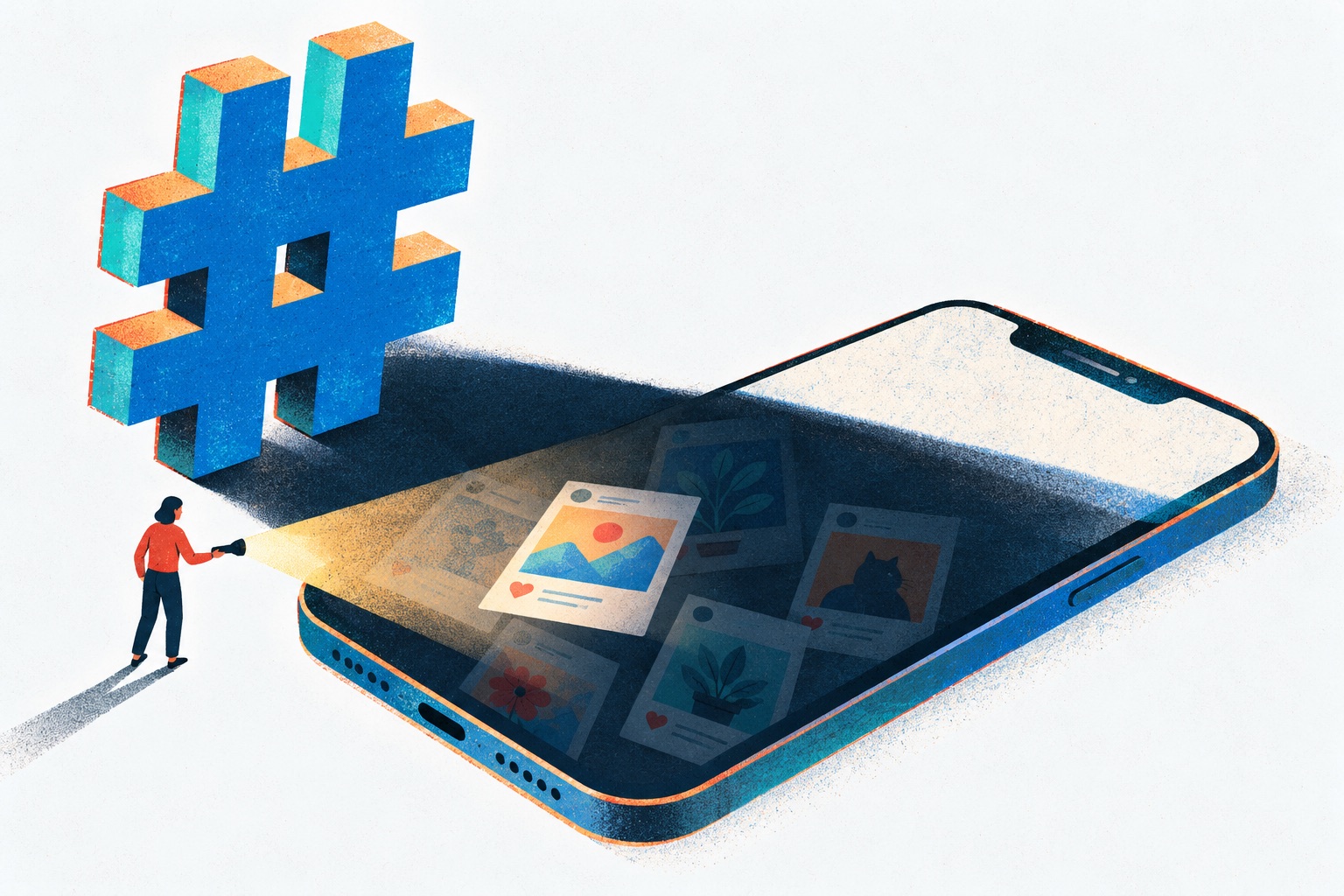
Your followers still like your posts, but reach from everyone else has fallen off a cliff, and someone online has told you it’s an Instagram shadowban. Instagram says hiding accounts without explanation isn’t its intention. That’s only half the story. It does decide whether your posts can be recommended to people who don’t follow you, and it does make some hashtags unsearchable.
Both are real, and you can check them. The one place that shows what Instagram has actually limited on your account is Account Status, so start there. Then check your hashtags, read your Insights properly, and fix whatever is flagged.
I went through Instagram’s Help Center, Adam Mosseri’s statements and the April 2026 originality update. Several of the top-ranking guides I read pre-date most of what Instagram has added since. Here’s what’s documented, what’s folklore and what to do.
What is an Instagram shadowban?
An Instagram shadowban is what people call it when their posts stop reaching anyone new, with no explanation. The posts stay on the profile and followers still see them, but they stop showing up for non-followers in Reels, Feed, Explore, Search or Suggested Accounts. It isn’t Instagram’s term. Instagram talks about content that isn’t “eligible to be recommended”.
What Instagram says about shadowbanning
The clearest statement is Mosseri’s Instagram Ranking Explained post from May 31, 2023. The head of Instagram wrote that some people use “shadowbanning” to mean an account or content “is limited or hidden without a clear explanation or justification”, and then: “When we rank content across Instagram, that’s not our intention.”
Read that closely. He doesn’t claim Instagram never limits content, only that it shouldn’t happen silently: “If anything makes your content less visible, you should know about it and be able to appeal.” On the theory that reach is throttled to sell ads: “we don’t suppress content to encourage people to buy ads.” And on where to look: “Account Status is the best way to understand if your account and content is eligible to be recommended on Instagram”.
The four things that actually happen
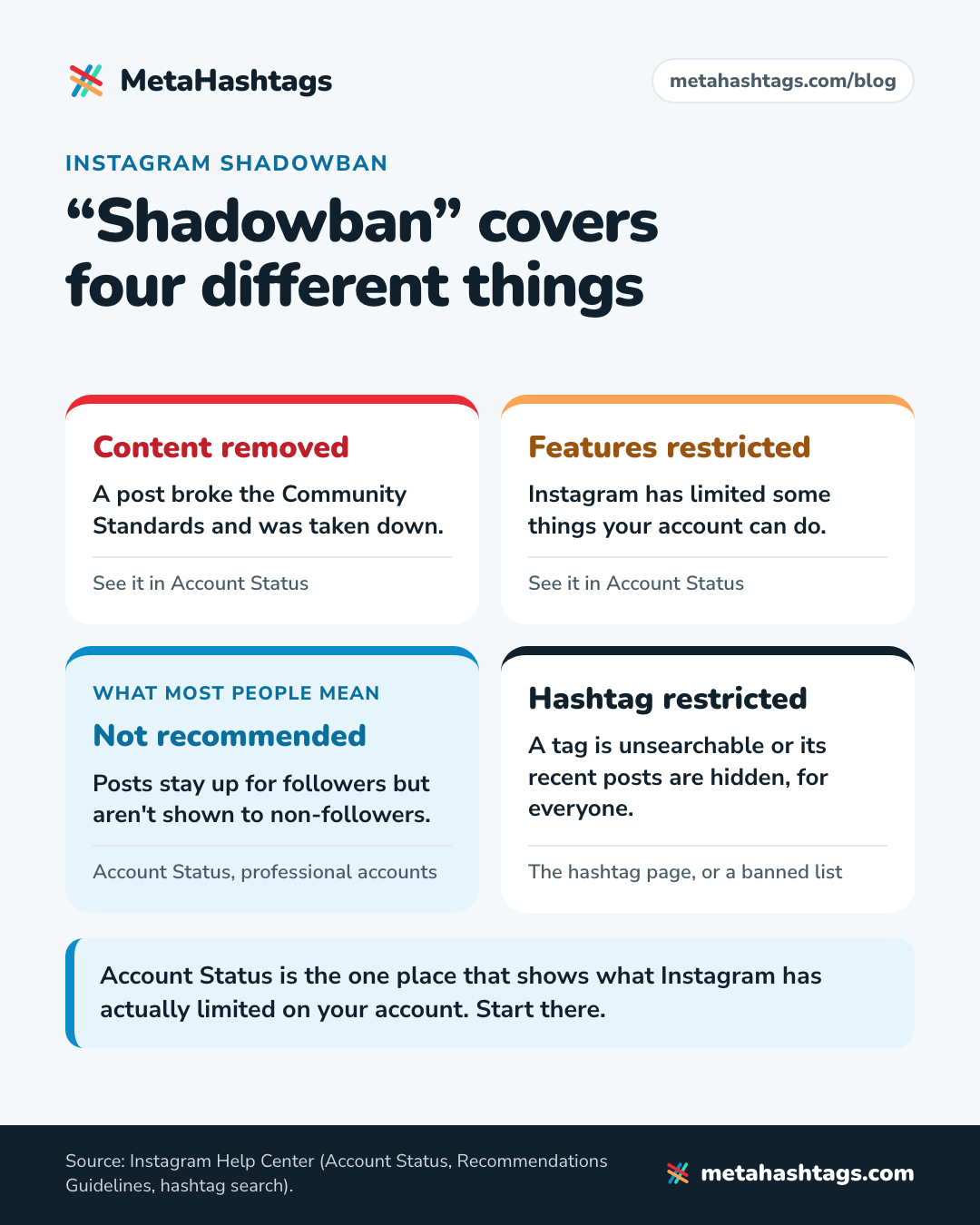
Four different things get lumped together as “a shadowban”. They have different causes and different fixes.
| What happens | What it means | Where you see it |
|---|---|---|
| Content removed | A post broke the Community Standards and was taken down | Account Status: Removed content |
| Features restricted | Instagram has limited some things your account can do | Account Status: Features you can’t use |
| Not recommended | The post or account stays up for followers but isn’t shown to non-followers | Account Status (professional accounts) |
| Hashtag restricted | A tag is unsearchable or its recent posts are hidden, for everyone | The hashtag page, or a banned hashtag list |
The third row is what most people mean by a shadowban. Instagram’s Recommendations Guidelines are “designed to maintain a higher standard than our Community Standards, because recommended content and connections are from accounts you haven’t chosen to follow.” Instagram avoids recommending content that could be “low-quality, objectionable, or particularly sensitive”, “even when the content isn’t severe enough to remove.”
It can hit a whole account. Instagram’s recommendation eligibility page says: “If your account is not eligible to be recommended, none of your content will be recommended”. Mosseri explains how an account gets there: “If an account repeatedly posts content that goes against our Recommendation Guidelines or Community Standards, none of their posts will be eligible for recommendation for a period of time.” The Help Center also sets the limit of the damage: “Even if you’re not eligible to be recommended, your content can still show up for your followers.”
How to know if you’re shadowbanned on Instagram
Do these checks in order. The first is the only one that reads Instagram’s own records; the others help you interpret what you see.
Step 1: Open Account Status
Instagram launched Account Status in October 2021 and has added to it since: a recommendation check for professional accounts in December 2022, eligibility for Search and Suggested Accounts in April 2023, and restricted features in June 2023. It’s the closest thing there is to an official shadowban check.
Where to find it: for the web, Instagram’s Help Center says “Click More in the bottom left, then click Settings. Click Account Status below More info and support.” In the app, Instagram’s 2021 announcement gave the route as Settings, then Account, then Account Status, but the menu has been reorganized since. Open your settings and look for the More info and support section, where the Help Center puts it.
What the Help Center says you’ll find there:
- Removed content: posts taken down for breaking the Community Standards.
- Features you can’t use: anything Instagram has restricted on your account.
- For professional accounts, whether your account and content may be eligible to be recommended. If not, you see a sample of posts that can’t be recommended and any profile elements, such as your photo or bio, that go against the guidelines.
- Request a review: the appeal, for when you think Instagram got it wrong.
Personal accounts still see removed content and restrictions, but Instagram only documents the recommendation check for professional accounts. To get that view, switch to a professional (creator or business) account; you can switch back later.
One caveat: eligibility “doesn’t guarantee that your content will be recommended,” in Instagram’s words. If Account Status says you’re fine and reach is still down, the cause is somewhere else.
Step 2: Compare followers and non-followers in Insights
A shadowban, as people use the word, hits non-followers, so look there. Insights splits accounts engaged into followers and non-followers for posts, stories and Live, for any period in the past 90 days. Compare several weeks before the drop with several weeks after.
- Followers engage as usual, but non-followers fell to almost nothing on every post from a certain date: that’s what losing recommendation eligibility would look like. Recheck Account Status.
- Both fell together: Instagram probably isn’t singling you out. Look at what changed in your posting.
- One post flopped and the next was fine: that’s just reach.
If you’re comparing with screenshots from 2024 or earlier, remember Instagram replaced Impressions with Views as its headline number, so old and new figures may not measure the same thing. Our guide to Instagram hashtag analytics covers which numbers are worth tracking.
Step 3: Check the hashtags on your recent posts
Paste the captions of your last few posts into our banned hashtag checker. It compares them with the 1,861 hashtags on our list of tags Instagram has restricted.
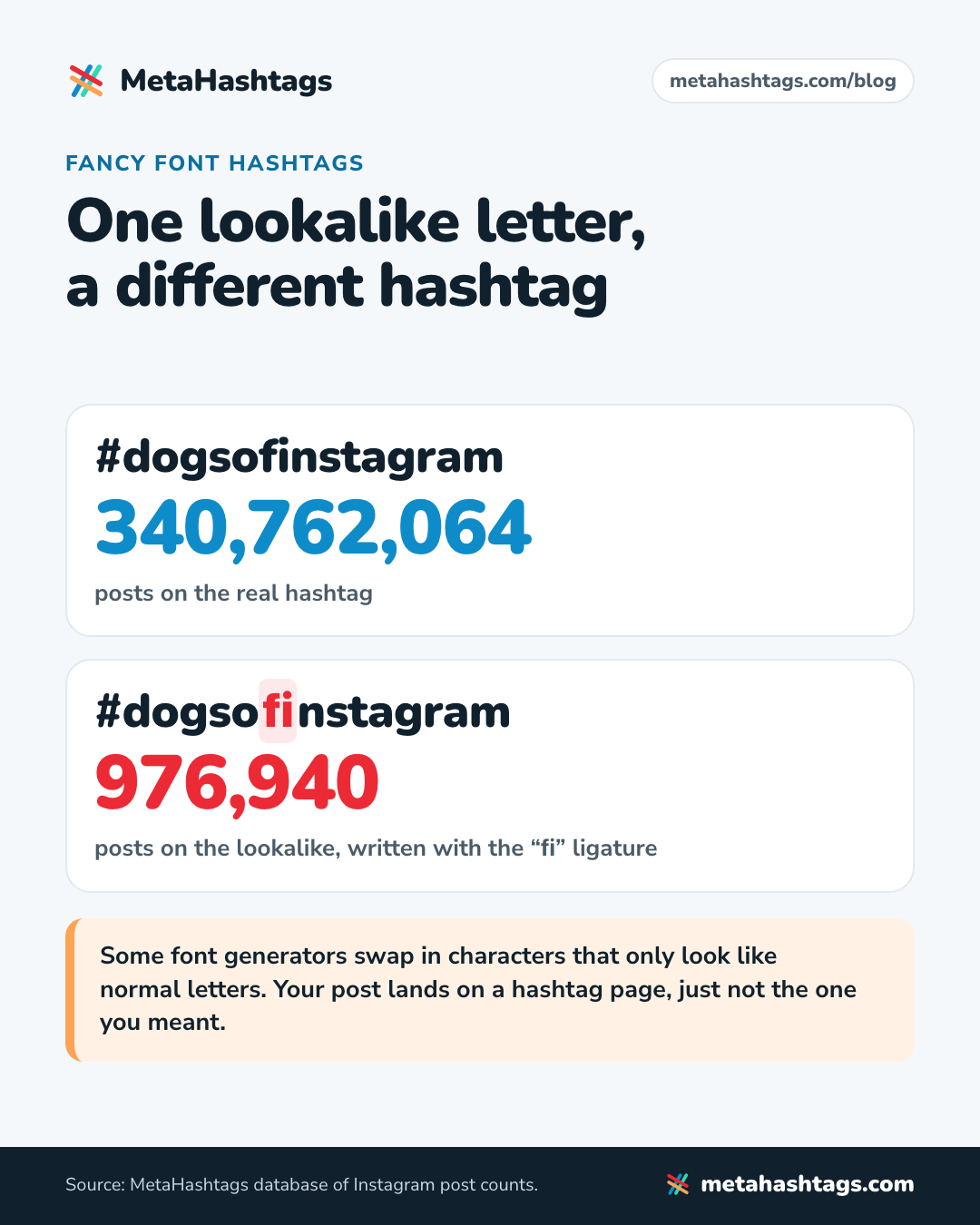
Also look for hashtags copied from a “fancy font” generator. Some swap in characters that only look like normal letters. In our database, #dogsofinstagram written with the “fi” ligature is a different hashtag (976,940 posts) from the real #dogsofinstagram (340,762,064 posts). Use the lookalike and your post lands on a hashtag page, just not the one you meant.
Why the “search the hashtag” test proves very little
The classic Instagram shadowban test: post with a rarely used hashtag, ask a few non-followers to search it, and if they can’t see your post, you’re shadowbanned. It feels scientific, but it proves little.
- A hashtag page isn’t a full list. Instagram says the order of hashtag search results depends on “When the post was shared”, “How others engage with the post” and “If content meets our Recommendation Guidelines”. A new post with little engagement can simply sit low.
- Posts from private accounts never appear publicly on hashtag pages.
- Your friend’s view may differ from yours: Instagram tested removing the Recent tab from hashtag pages for some users in 2022.
- If the tag itself is restricted, nobody’s post shows. That’s about the tag, not you.
Even then, it can’t tell you why. Account Status can.
What shadowban checker tools can and can’t see
Several “free Instagram shadowban checker” sites rank on Google. Recommendation eligibility lives inside your account: Instagram shows it to you in Account Status and, as far as I can find, nowhere else. A tool that doesn’t log in as you sees what any stranger sees, such as whether a post turns up on a hashtag page right now, or whether your hashtags are on a known list. That last check is useful. A “shadowbanned” verdict is a guess. And don’t give one your password: tools that log in as you are exactly the outside access you’ll be told to remove below.
Instagram shadowban test: symptoms and likely causes
Match what you see to a likely cause before changing anything. Removed posts and restricted features are in the first table.
| What you notice | Most likely cause | Where to check |
|---|---|---|
| Followers still engage, non-follower reach near zero on every post | Not eligible for recommendation | Account Status; Insights |
| Reposted photos, carousels or reels stopped reaching new people | Unoriginal content (photos and carousels included since April 2026) | Account Status |
| Reels dropped, other posts fine | Watermarks, low resolution, muted audio, borders, mostly text, or a re-upload | The reels themselves |
| People can’t find your account in search | Search or Suggested Accounts eligibility | Account Status |
| Post missing from a hashtag page | Private account, restricted tag, lookalike characters, or it ranks low | The hashtag page; a banned hashtag check |
| A comment full of hashtags never appeared | More than five hashtags | Count them |
| Reach down among followers and non-followers alike | Ordinary swings: posting less, a new format, the season | Insights over 4–8 weeks |
Shadowban hashtags on Instagram: what restricted tags really do
“Banned hashtags” is the oldest shadowban theory, and part of it is real. Instagram’s Help Center says hashtags “may not be searchable if the text or the content associated with the hashtag consistently do not follow our Terms of Use or Community Standards.” It isn’t necessarily forever: “We review these hashtags periodically and may make a hashtag searchable again if the content associated with the particular hashtag or the text of the hashtag changes over time.”
There’s a softer version. The hashtag results page quoted above says: “We may remove posts in a search results if people are using the hashtag to post content that goes against our Community Standards.” Press reports from 2019 to 2022 quoted the in-app notice as “Recent posts from #easter are currently hidden because the community has reported content that may not meet Instagram’s community guidelines.” I couldn’t confirm today’s exact wording. Either way, it’s about the hashtag, not your account.
Harmless words on the restricted list
Restricted tags aren’t all obviously dodgy. Our list of 1,861 hashtags Instagram has restricted includes #desk, #elevator, #kansas, #snowstorm, #pushups, #always, #alone, #adulting, #boho, #todayimwearing, #petite, #shower and #workflow. Instagram’s rule covers “the text or the content associated with the hashtag”, so an innocent word can be restricted because of what other people post under it.
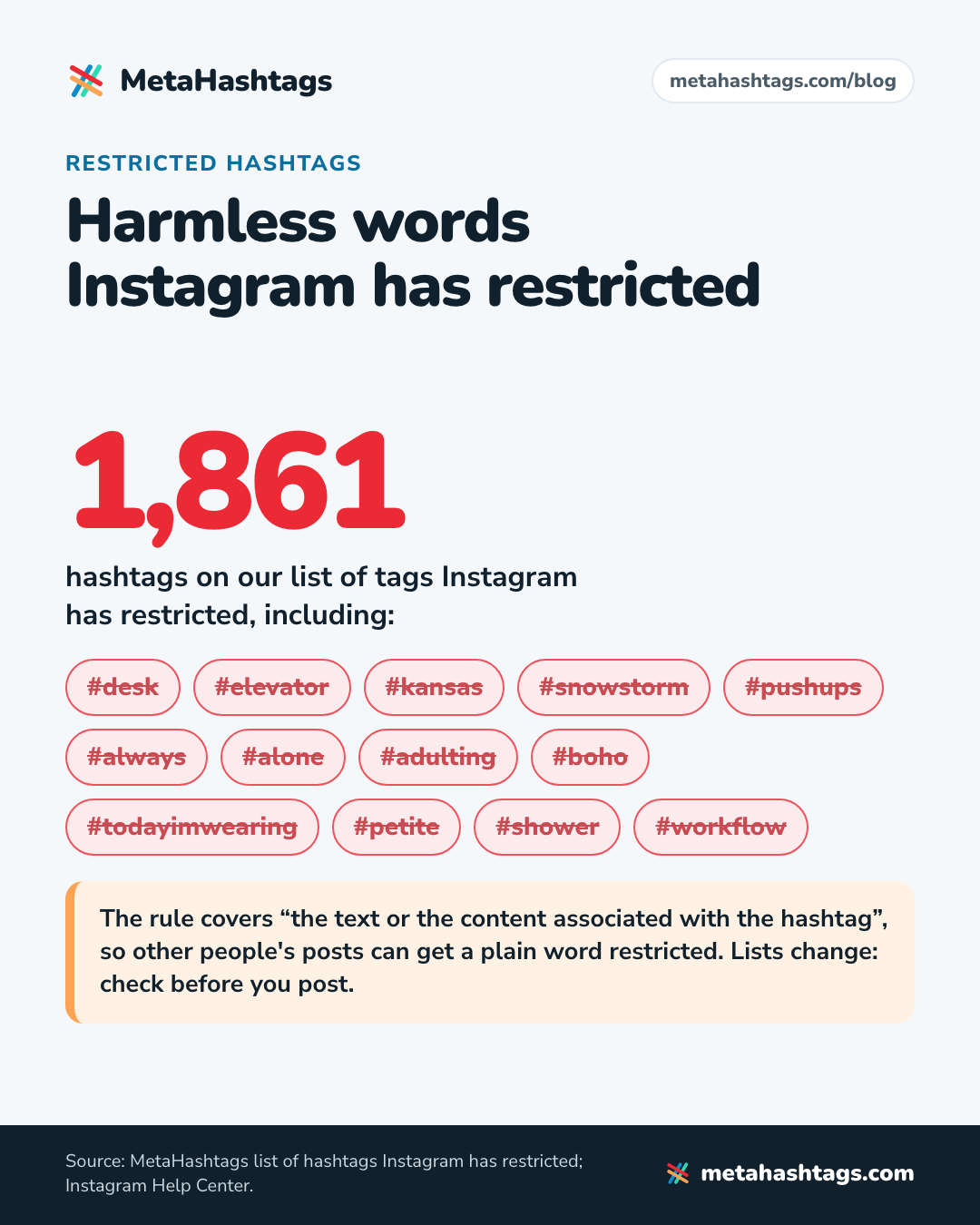
Instagram also restricts and un-restricts tags without announcing it, so any list, ours included, is a snapshot. Check before you post. For a replacement, pick a tag that describes the post; our guide to finding hashtags for a specific post has a method.
Does one banned hashtag hurt the whole post?
Instagram hasn’t said either way, and I found no source behind the blog claims on either side. What’s certain is the cost: a restricted tag does nothing for you, and with five slots that’s a fifth of your hashtags wasted.
Five hashtags max, so stuffing is off the table
Since December 2025, Instagram has allowed up to five hashtags per post, down from 30 (the change rolled out gradually). Its Help Center says a comment with more than five won’t post. That retires the old theory that 30 hashtags looked spammy and got you hidden. If the hashtags in a first comment seem to vanish, count them before blaming the algorithm.
Mosseri said in 2025 that hashtags don’t increase reach; they tell people and Instagram what a post is about. So if reach fell after you trimmed to five tags, the trimming is an unlikely culprit. I weighed the evidence in whether hashtags still work on Instagram.
Why your reach dropped: the usual causes
The first three are reasons Instagram has documented for limiting reach. If none fits, look hard at the fourth.
Unoriginal content (photos and carousels since April 2026)
This is the newest cause, and older guides miss it. On April 30, 2026, Instagram extended its originality rules beyond Reels: “The same protections we introduced to reels in 2024 will now apply to photos and carousels.” Accounts that mostly post unoriginal content “will no longer be shown in places where we recommend content.” Followers still see their posts.
Instagram defines original content as “work that you wholly created or reflects your unique perspective.” Re-uploading someone else’s work doesn’t qualify, and “just adding a border, watermark, subtitles, or a credit in the captions” doesn’t rescue it. Say you run a page that reposts other people’s travel photos with a credit in the caption: that’s exactly what this update targets.
Reels Instagram deliberately shows less
Mosseri’s 2023 post lists reels Instagram aims to make less visible, “such as low-resolution or watermarked reels, reels that are muted or contain borders, reels that are majority text, or reels that have already been posted on Instagram.” The watermark catches people who edit in another app and export with its logo. The last item matters if you’re tempted to delete a reel and upload it again.
Automation, bought followers and engagement pods
Meta’s spam policy, part of the Community Standards, prohibits “selling, buying, or exchanging for engagement, such as likes, shares, views, follows, clicks.” That covers bought followers, follow-for-follow schemes and pods. It also targets activity done “either manually or automatically, at very high frequencies”, which is what a growth tool liking and following as you looks like.
Ordinary reasons that look like a shadowban
- You changed something: fewer posts, a new format, a topic your audience cares less about, a quiet season.
- Following hashtags no longer exists. Instagram announced its removal in November 2024, so people who saw your posts through a followed hashtag lost that route.
How to remove an Instagram shadowban
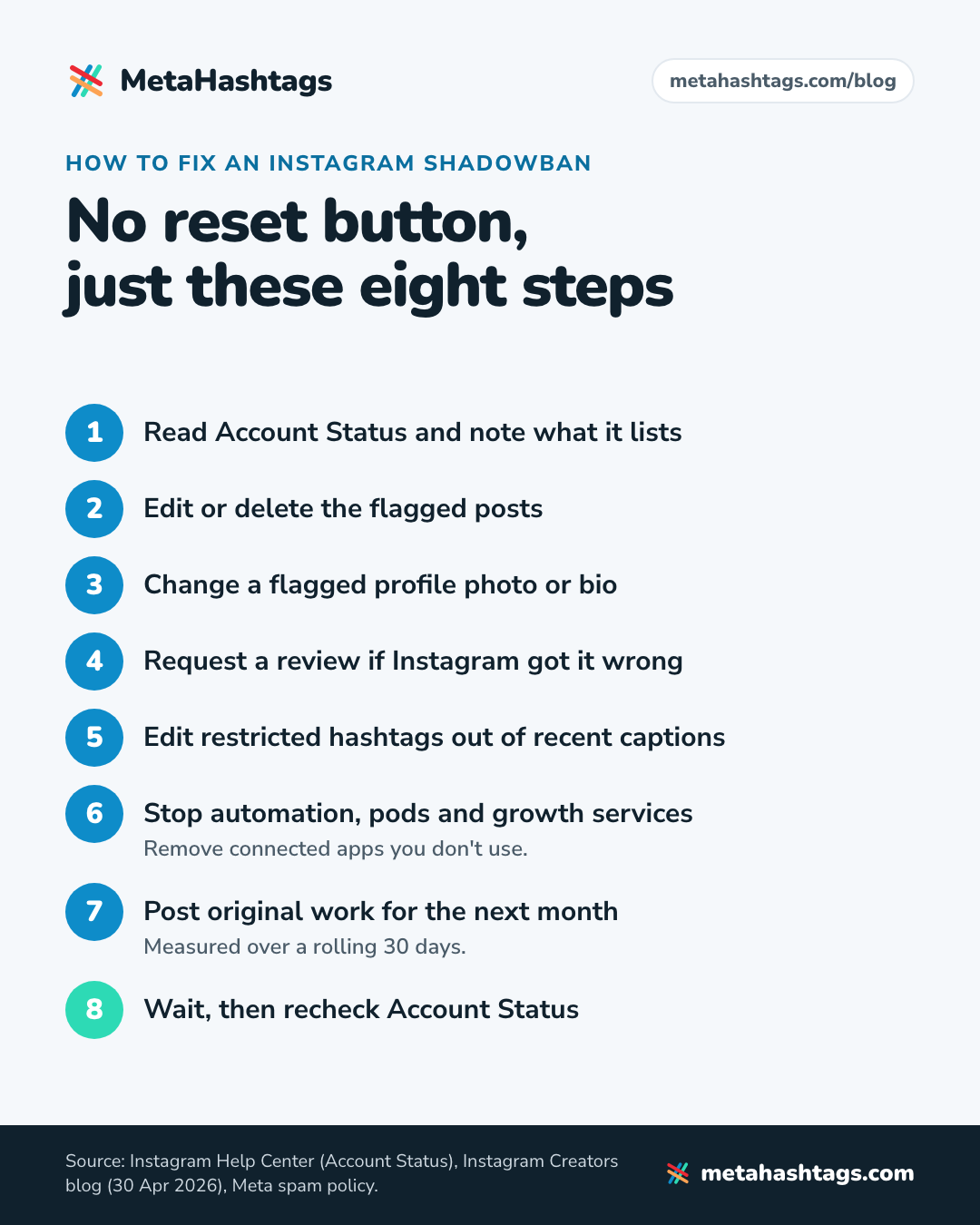
There’s no reset button, but this sequence covers everything Instagram documents.
- Read Account Status. Note exactly what it lists: removed posts, restricted features, posts that can’t be recommended, profile elements.
- Edit or delete the flagged posts. You can do it from Account Status. If the problem is the caption or a hashtag, editing may be enough. If it’s the photo or video, delete it.
- Fix your profile if it’s flagged. Change the photo or bio that Account Status points to.
- Request a review if Instagram got it wrong. That’s the appeal. Instagram doesn’t publish how long reviews take.
- Clean up your hashtags. Run recent captions through the checker and edit out anything restricted.
- Stop automation and cut off outside access. Cancel growth services, auto-likers, follow/unfollow tools and pods. In your settings, find the apps and websites connected to your account and remove any you don’t use. If you ever gave a service your password, change it.
- Post original work for the next month. Instagram says eligibility comes back “when most of their recently posted photos, carousels, and reels are considered original”, measured over a rolling 30 days.
- Then wait, and recheck Account Status rather than guessing from one good post.
How long does an Instagram shadowban last?
There’s no single answer, because there’s no single penalty. What Instagram has documented:
- Repeated breaches: no recommendations “for a period of time”. Instagram doesn’t say how long.
- Unoriginal content: eligibility returns once most of what you’ve posted over a rolling 30 days is original.
- Restricted hashtags: reviewed “periodically”. That’s the tag, not you.
The “take a 48-hour break and it resets” advice in older guides has no source I could find, and nor do the “24 hours” and “two weeks” figures. A break won’t hurt. It just isn’t a fix.
How to avoid an Instagram shadowban
- On a professional account, look at Account Status once a month and whenever reach drops.
- Skim the Recommendations Guidelines once. They’re stricter than the rules for what can stay up.
- Post your own photos and videos. If you share someone else’s work, add something real; a credit or a border doesn’t count.
- Upload clean files: no other app’s watermark, decent resolution, sound on.
- Use up to five hashtags that describe the post, and check them first. Our guide to using hashtags on Instagram covers how to choose them.
- Put keywords and hashtags in the caption, not the comments. Instagram’s Creators blog says that’s how a post gets found in Search; more in our Instagram SEO guide.
- Don’t buy followers or likes, don’t join pods, and don’t let any tool act as you.
My take: treat “shadowban” as a symptom, not a diagnosis. Open Account Status, fix what it names, check your hashtags, and if everything’s clean, look at your content and your numbers instead of hunting for a hidden penalty.
Instagram shadowban FAQ
Will deleting and reposting a post fix it?
Not reliably, and for Reels it can backfire: Mosseri lists “reels that have already been posted on Instagram” among those Instagram makes less visible. Fix the cause instead.
Does making my account private help?
No. Instagram only recommends public accounts, so going private takes you out of recommendations entirely. Your followers see your posts either way.
Can you get shadowbanned for using too many hashtags?
Not any more: five is the cap, and a comment with more than five won’t post. The hashtag risk worth checking is a restricted tag.
Keep reading
-
 Instagram Hashtags
Instagram Hashtag Analytics in 2026: What You Can (and Can’t) Measure
Instagram doesn't document a views-from-hashtags number. Here's what Insights and hashtag trackers can really measure, plus a free spreadsheet test you can run. -
 Instagram Hashtags
How to Find Hashtags for Instagram (and Choose Your 5) in 2026
A method, not a list: where to find hashtag ideas inside Instagram, five checks for every candidate, and how to land on five, with… -
 Instagram Hashtags
Do Hashtags Still Work on Instagram in 2026? Yes, but Not for Reach
Hashtags still work on Instagram as labels, not as a reach hack. What Instagram has said, why the studies disagree, and a four-week test…